 Sahabat Teknologi
ERP & Software
How to Connect Your Website, WhatsApp, Marketplaces, and ERP Without Double Data Entry
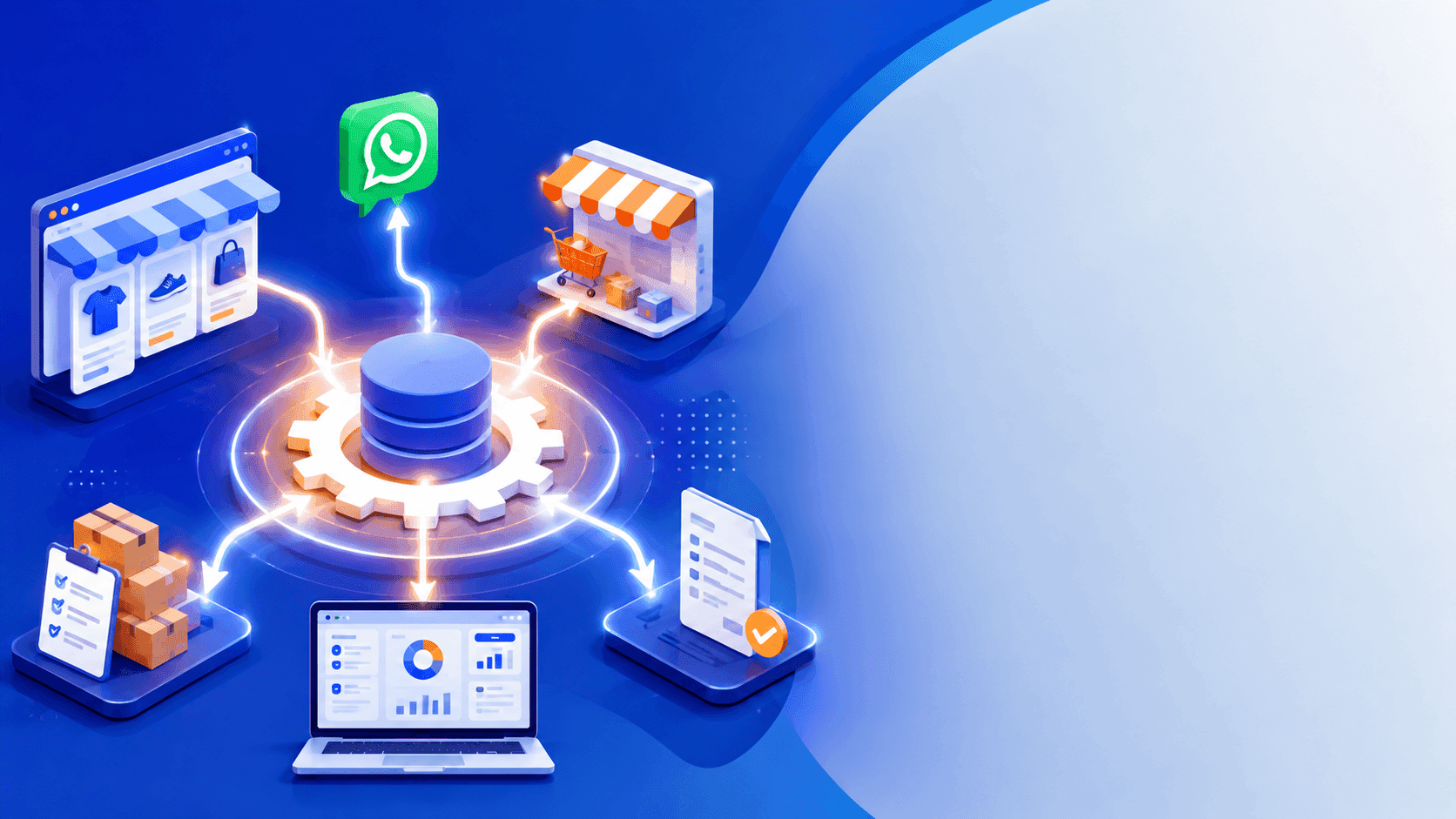
The practical way to eliminate duplicate data entry is to make the ERP the central system for internal transaction data. Your website, WhatsApp, Tokopedia, and Shopee can send orders into the ERP, which then manages inventory, customers, payments, invoices, and fulfillment from one controlled data source.
Why Do Businesses Keep Entering the Same Order Multiple Times?
The problem usually starts when a business has several sales channels but each channel operates as a separate system. A customer may place an order through the company website, another customer may order through WhatsApp, while marketplace orders arrive through Shopee or Tokopedia. The admin then copies the customer name, address, SKU, quantity, price, and payment method into Excel or the ERP. One order may be handled manually by two or three people before it reaches the warehouse and accounting team.
This approach can still work at low volume. Once a business processes dozens or hundreds of orders a day, however, the problem is no longer just typing time. A wrong SKU can reduce inventory for the wrong product. An incorrect address can disrupt fulfillment. A cancelled order may still reach the warehouse. A returning customer may even be created as a new customer because the name or phone number was entered in a different format.
One of the most common mistakes we see in software projects at Sahabat Teknologi is a company trying to "integrate everything" without deciding which system owns the data. The website has its own product database, the marketplaces maintain their own inventory, Excel contains another stock number, and the ERP contains something else. Technically, the systems may be connected, but the duplicate-entry problem remains.
A reliable ERP integration starts by defining system ownership. The ERP should normally act as the internal source of truth for products, SKUs, inventory, customers, orders, invoices, payments, purchasing, and reporting. Sales channels act as transaction sources and customer-facing interfaces. With this structure, an admin does not need to recreate a transaction simply because the order originated from a different channel.
- The website sends new orders to the ERP through an API or webhook.
- Marketplaces send order, payment, shipping, and status events according to their API capabilities.
- WhatsApp can send relevant events into CRM or ERP workflows through the WhatsApp Business Platform.
- The ERP stores internal product, SKU, inventory, customer, order, invoice, and payment records.
- Warehouse staff work from ERP orders rather than separate copies in Excel or WhatsApp chats.
How Does ERP Integration Work from Order to Invoice?
The architecture we normally recommend is not to make the website, WhatsApp, Shopee, and Tokopedia communicate randomly with each other. A more maintainable approach is to use the ERP or an integration layer as the central connection point. The basic pattern is: sales channel → integration layer/API → ERP → warehouse and finance. Data that needs to be sent back follows the reverse path: ERP → integration layer/API → sales channel.
Consider a retailer selling 50 SKUs through its own website, Shopee, Tokopedia, and WhatsApp. A customer buys two units of SKU A001 through the website. The website creates an order with its own external order ID. The integration service receives the event, validates the SKU and customer, and creates a sales order in the ERP. The ERP checks available inventory. If sufficient stock exists, the inventory is reserved for that order. Once payment is confirmed, the order can move to picking, packing, and shipping.
If another customer purchases SKU A001 through a marketplace, the ERP should not create a second product simply because the sales channel is different. Marketplace SKUs need to be mapped to internal SKUs. For example, Shopee may use store-001 while the ERP uses A001. That mapping allows both marketplace orders to point to the same internal product.
After shipment, the ERP can store the courier and tracking number. If the sales channel supports status updates, the information can be synchronized back. WhatsApp works somewhat differently. The WhatsApp Business Platform provides APIs and webhooks that allow messages and certain events to be connected to backend systems.
With this architecture, customer service does not have to open the ERP every time they want to check whether an order has shipped. A customer service interface can display order information sourced from the ERP. Likewise, the finance team does not need to search WhatsApp conversations for sales totals because valid orders already exist as structured transactions.
- Create the order once at the originating sales channel and retain its external order ID.
- Validate incoming data before creating ERP transactions.
- Map marketplace SKUs to internal ERP SKUs.
- Check and reserve inventory in the ERP.
- Send valid orders to the warehouse for picking and packing.
- Generate invoices or sales documents from the ERP transaction.
- Synchronize payment, shipment, cancellation, and return events where the channel supports them.
- Store important integration events in logs so failures can be investigated.
Which Data Should Be Synchronized?
Not every data type needs to be synchronized in both directions. This is one of the most important decisions in an ERP integration project. We normally create a source-of-truth matrix before writing the integration code. Products, SKUs, prices, inventory, customers, orders, payments, shipments, returns, and invoices each have different synchronization requirements.
For example, inventory should normally be controlled by the ERP when the ERP is the company's inventory system. If SKU A001 has 20 available units, the marketplace should not be treated as having an independent inventory number. The integration system takes the sellable quantity from the ERP and distributes it to the relevant channels. When inventory is consumed by a website order, the system must account for the impact on marketplace availability as well.
Customer records also require deduplication rules. "Budi Santoso", "+62812xxxx", and "[email protected]" should not automatically become three separate customers simply because the information was entered differently. For businesses with repeat customers, a phone number or internal customer ID can be a more useful matching key than a customer name alone.
Order synchronization requires an external order ID. If a marketplace sends the same event twice because of a network retry, the ERP must not create two sales orders. The system should check whether that external order ID has already been processed. This principle, commonly called idempotency, is critical in reliable ERP integration.
WhatsApp should not automatically convert every conversation into a sales order. "How much is SKU A001?" is an inquiry. "I want two units of A001, please ship them to Bekasi" is much closer to an actionable order. The workflow should have rules that determine when a conversation becomes a quotation, sales order, or confirmed transaction. The WhatsApp Business Platform supports backend integration and webhooks, but the company's business logic still needs to be implemented in its own systems.
- Product and SKU master data: ERP as the primary source.
- Inventory: ERP as the primary source, distributed to sales channels.
- Customer data: ERP as the central customer database with deduplication rules.
- Orders: the channel is the initial transaction source; ERP becomes the internal transaction system.
- Payments: receive payment status from the channel or payment gateway and record it in the ERP.
- Shipping: store courier and tracking information on the ERP order.
- Returns and cancellations: synchronize them as status-change events rather than creating new orders.
- Integration logs: retain requests, responses, timestamps, and processing status for troubleshooting.
What Should You Consider When Integrating Tokopedia, Shopee, WhatsApp, and Your Website?
Marketplace ERP integration is not simply a matter of clicking a "Connect" button. Each platform has its own APIs, webhooks, status structures, data limitations, and access requirements. Tokopedia & Shop developer documentation, for example, provides APIs and webhooks for application and integration use cases. The implementation therefore needs to follow the platform capabilities available at the time of development rather than assuming every marketplace field can be freely read or written.
Your own website is usually the easiest channel to control because its database and API can be designed specifically for the business. We normally recommend that the website does not write directly into ERP database tables. Use authenticated APIs with server-side validation, logging, and clear transaction rules instead. This prevents a database structure change in the ERP from unexpectedly breaking the website.
For marketplaces, inventory and order status are usually the most sensitive areas. Imagine the last unit of a product being purchased on Shopee at 10:00:03 while another customer checks out on the website at 10:00:04. If both channels rely on independent local inventory values, overselling becomes possible. The central system therefore needs inventory reservation and proper handling for near-simultaneous orders.
WhatsApp should also not be treated as a fully automated order-entry channel. Use statuses such as inquiry, quotation, waiting for payment, paid, processing, shipped, completed, and cancelled. Customer service can take over when a conversation requires human judgment. The official WhatsApp Business Platform provides API, webhook, and backend integration capabilities for this type of architecture.
The biggest trade-off is cost versus complexity. Integrating one website with an ERP is considerably simpler than integrating a website, two marketplaces, WhatsApp, a payment gateway, courier services, warehouse operations, and accounting. As the number of channels increases, the integration layer, queue, retry mechanism, monitoring, and audit logs become increasingly important. Cutting cost with fragile point-to-point integrations often creates a larger maintenance burden later.
- Website: prioritize documented APIs and server-side validation.
- Marketplaces: define SKU and order-status mapping from the beginning.
- WhatsApp: use the WhatsApp Business Platform/API rather than WhatsApp Web scraping.
- Inventory: use reservation mechanisms to reduce overselling risk.
- API failures: use queues and retries rather than relying only on direct requests.
- Duplicate events: use external IDs and idempotency.
- Monitoring: provide an integration log page that admins or developers can inspect.
- API changes: regularly review platform documentation and test integrations after significant changes.
When Should a Business Start Building ERP Integration?
Not every business needs a full ERP integration from day one. If a company only receives a few orders each week, manual entry may still be more economical. The real warning sign is when repetitive administrative work starts costing more than building a reliable process.
A more useful indicator than revenue alone is the number of times the same process is repeated. One order might need to be recorded in the marketplace, Excel, the ERP, a warehouse WhatsApp group, and accounting software. If five people are handling different parts of the same transaction, the risk of errors rises even if the order volume is not yet extremely high.
We normally recommend starting with the process that creates the most repetitive work. For e-commerce, a practical sequence is product and SKU synchronization, marketplace and website orders into the ERP, ERP inventory back to sales channels, payment synchronization, then shipping and invoicing. Once those processes are stable, WhatsApp and CRM workflows can be integrated more deeply.
Do not try to automate the entire company in a single phase. It is safer to build one correct end-to-end flow first, such as "Shopee order → ERP → inventory reservation → picking → shipping → invoice", and measure processing time and errors. Once that workflow is stable, the same architecture can be extended to Tokopedia, the website, and other channels.
The goal is not simply to make every system "connected." Each important piece of data should have a clear owner, and every transaction should have an audit trail. If marketplace inventory differs from ERP inventory, the team should be able to determine why. If an invoice was not generated, they should know which event failed. If an order arrives twice, the system should reject the duplicate automatically.
That is why ERP integration should be treated as business-process architecture rather than merely an API project. Technology executes defined rules. If SKU, inventory, customer, order, payment, and status rules are unclear, integration can simply distribute the same mistakes across more systems.
- Start with one channel and the process that creates the most repetitive work.
- Define the ERP as the source of truth for internal business data.
- Decide who is allowed to change product, price, and inventory master data.
- Use external IDs so repeated events cannot create duplicate transactions.
- Provide logs and dashboards for transactions that fail to synchronize.
- Test normal orders, duplicate events, failed payments, cancellations, returns, and out-of-stock scenarios.
- Add additional channels only after the first workflow is stable.
- Measure success through reduced manual entry, fewer transaction errors, and lower administrative processing time.